
The $expand operation is the FHIR terminology call you depend on without realizing it. Every dropdown that pulls a value set, every form rendering that needs an answer list, every dashboard that filters by code: all of it bottlenecks on $expand. A US hospital terminology server that handles $expand poorly produces a sluggish user experience that no amount of frontend optimization can fix. These five servers are the ones that, in 2026, get $expand right.
For broader picking advice, the 2026 Buyer's Guide to FHIR Terminology Servers sets the framing, and FHIR resources for US healthcare teams is the hub for related material.
CSIRO Ontoserver
Ontoserver's $expand performance is the benchmark other servers are measured against. It handles complex value sets that combine multiple code systems with consistent latency, supports SNOMED CT ECL expansion natively, and returns properly paged results for large value sets. American hospitals doing high-volume terminology lookups against complex value sets pick Ontoserver partly for this.
Aidbox with Termbox
Termbox handles $expand cleanly and quickly across LOINC, SNOMED CT, ICD-10, and custom value sets. The caching behavior is one of the better implementations in the field, which matters because the same value sets get expanded over and over in typical hospital workloads. American teams running Termbox describe the $expand experience as predictable.
Snowstorm
Snowstorm is the SNOMED-specific server, but its $expand for SNOMED-based value sets is one of the fastest available. If your American hospital workload is heavily SNOMED, Snowstorm's $expand performance for that case is hard to beat. For non-SNOMED value sets, you would use a different server. The Top 5 FHIR terminology servers for American hospitals in 2026 covers the broader picture.
Smile Digital Health CDR Hub
Smile's terminology platform handles $expand at enterprise scale with managed caching and a tuned execution path inherited from HAPI's terminology code base. For US hospital networks running large terminology workloads through Smile, $expand performance is one of the reasons the commercial license earns its keep.
HAPI Terminology (with Proper Configuration)
HAPI Terminology can implement $expand acceptably for many US hospital workloads, but only after careful index tuning and cache configuration. Out of the box, the performance is mediocre. With the right operational care, it is competitive. American hospitals running HAPI for the rest of the FHIR stack often pick this as the simpler option, accepting that it requires more setup than the alternatives.
What "Implementing $expand Well" Actually Means
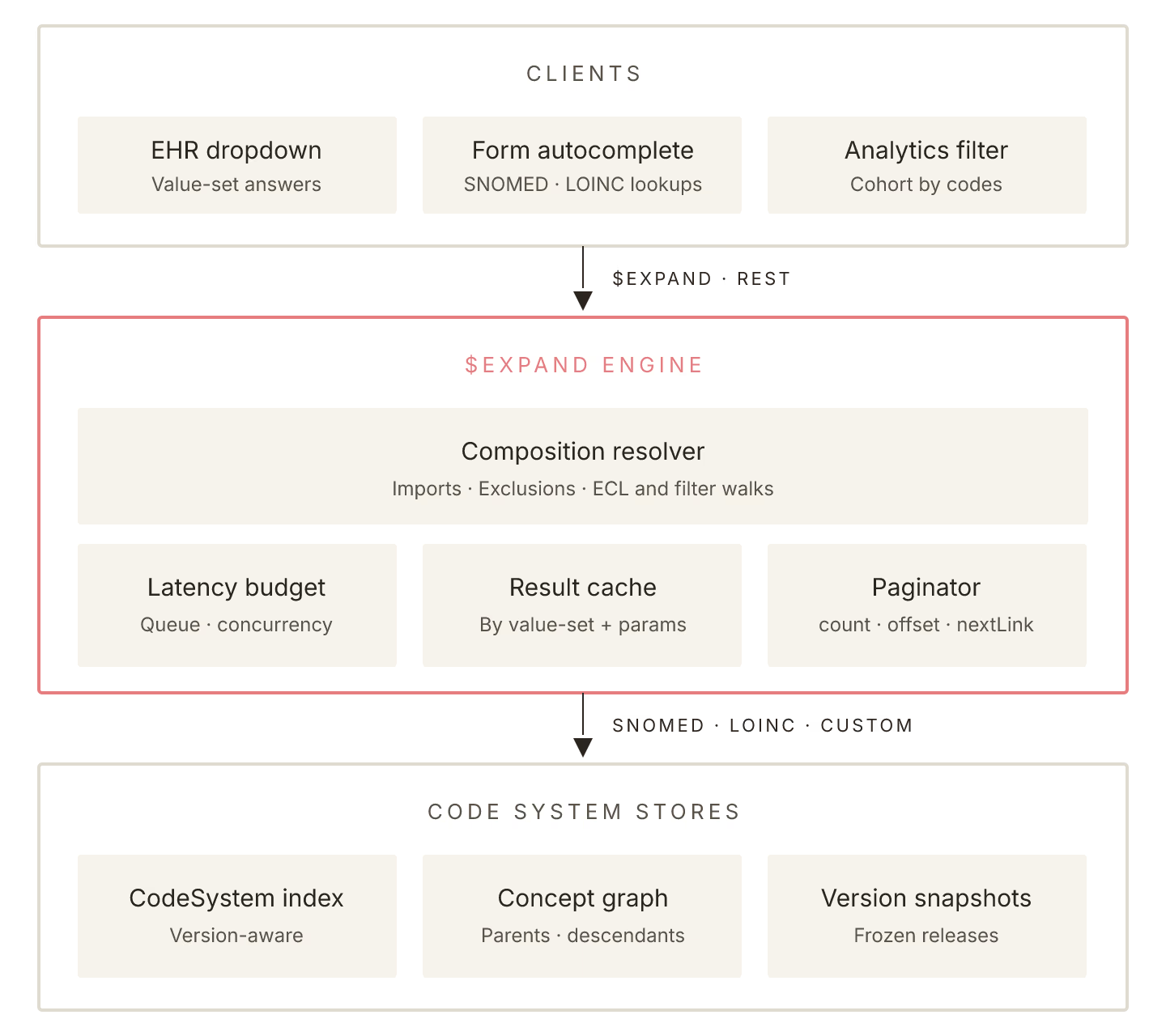
Three things separate a good $expand implementation from a bad one. First, consistent latency under load. A server that returns in 50 milliseconds when idle but takes 3 seconds under hospital-scale load is not implementing $expand well. Second, correct handling of value set composition, including imports, exclusions, and complex filters. Third, proper paging for large value sets so the client does not have to load everything at once.
For developers building on top of $expand, the Top 4 FHIR code lookup services for American clinical apps is the related list of tools that pair well.
$expand performance is the kind of capability that does not show up in marketing slides but determines whether a clinician finds your dashboard usable. Pick a terminology server whose $expand behavior you have tested under realistic load, not one whose vendor told you the performance is fine. The five above are the safest starting points in 2026.
Sources
Related Posts