
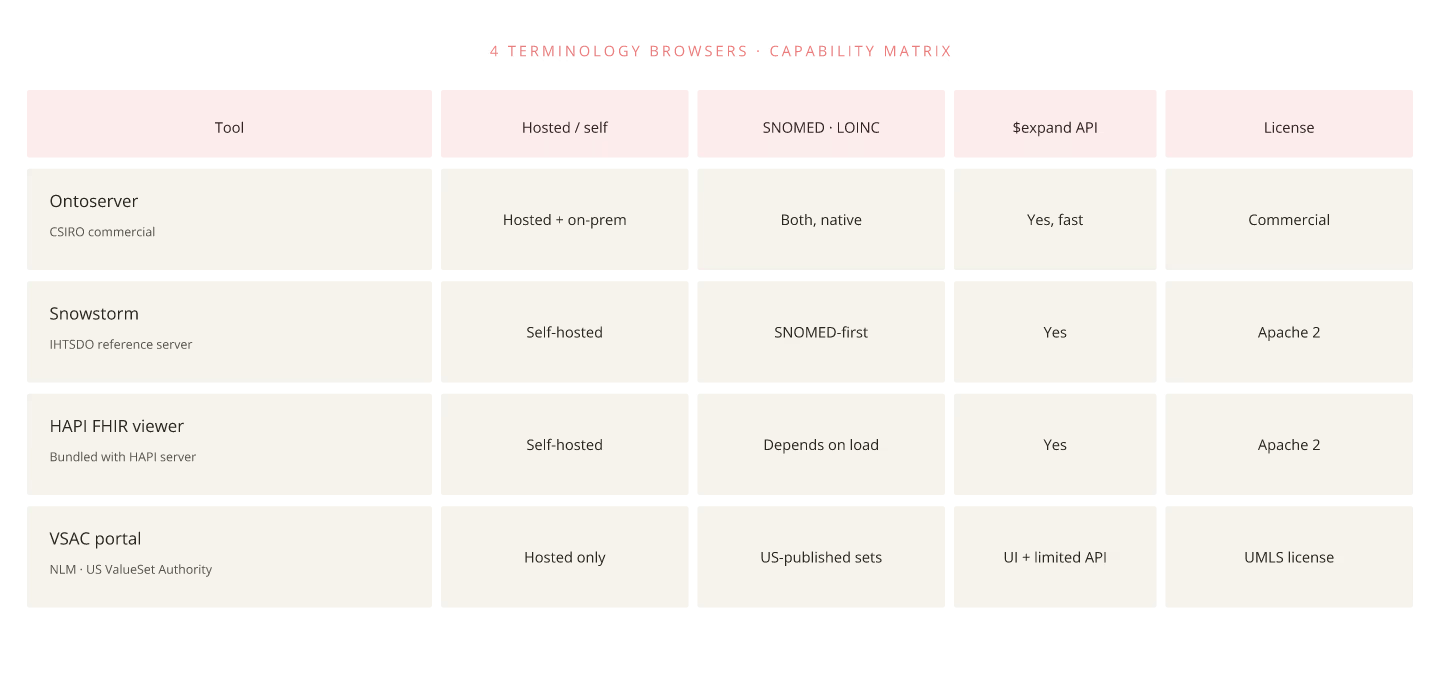
Clinicians and analysts frequently need to look up SNOMED CT concepts, LOINC codes, and ValueSet expansions. Four terminology browser tools cover most 2026 use cases.
**1. Ontoserver Snowstorm.** CSIRO's terminology server ships with a browser UI. Supports full SNOMED CT hierarchy, ValueSet expansion visualization, and FHIR `$expand` operations. Best for enterprise deployments.
**2. SNOMED International Browser.** Free public browser from SNOMED International. Concept lookup, hierarchy navigation, cross-map viewing. Best for casual lookup, not integration.
**3. LOINC Search.** Official LOINC browser. Best for lab-code specific lookups; less useful for cross-terminology work.
**4. Regenstrief RELMA.** LOINC mapping tool for local lab codes. Best for lab teams mapping their own codes to LOINC.
Feature comparison
| Tool | SNOMED | LOINC | RxNorm | ValueSet expand | FHIR API |
|---|---|---|---|---|---|
| Ontoserver Snowstorm | Full | Full | Via UMLS | Yes | Yes |
| SNOMED Browser | Full | No | No | No | No |
| LOINC Search | No | Full | No | No | No |
| RELMA | No | Full | No | No | No |
Integration into clinical workflow
EHRs that embed a terminology browser inline (rather than requiring context-switch to external tool) reduce clinician friction significantly. Epic and Cerner both support inline terminology lookup; open-source EHRs typically require custom UI integration.
FHIR-side terminology exposure
The terminology module exposes $lookup, $expand, $translate operations. Custom terminology UIs should call these operations rather than embedding terminology tables in application code.
Related Posts